Integration Details
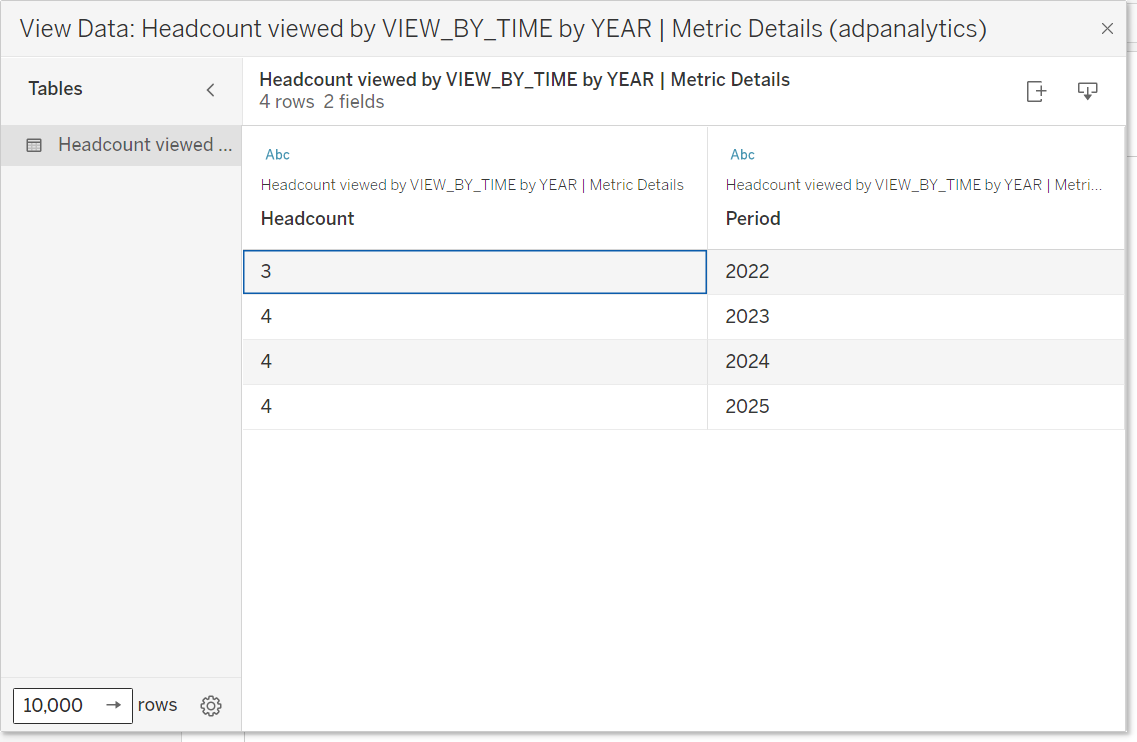
Tableau® Connector for ADP® DataCloud connects with ADP Datacloud metrics to push metric data from ADP to Tableau® desktop software running on ADP client’s computer. This is a real-time integration and helps practitioners to mash up data and create reports and visualizations in Tableau® desktop software using ADP metrics.
ADP Applications Integrated
- ADP Workforce Now® Current Generation
ADP Workforce Now® Next Generation
ADP Vantage HCM®
ADP TotalSource®
ADP Enterprise HR® V5 and V6
Integration type
- Read data from ADP
Application type
- Data connector
Data sync frequency
- Real-time
Data fields
- The following fields will flow through from ADP to Tableau® desktop software on ADP client’s computer to create reports and visualizations in the Tableau® desktop software:
Metric data
View bys
Time period
Employee details/chart details
How to Activate the Tableau® Connector for ADP DataCloud Enhanced Insights
Try the free edition of the Tableau® connector for ADP DataCloud Enhanced Insights today. Getting started is simple — just follow the steps below.
Step 1: Subscribe to the free edition.
- Click the “Try the Free Edition” button at the top of this page to activate the connector. If you are already subscribed, go to Step 2.
Step 2: Go to Reports & Analytics > Analytics > Dashboards > Data Mashup
Step 3: Select Connect Now under the Tableau Tile.
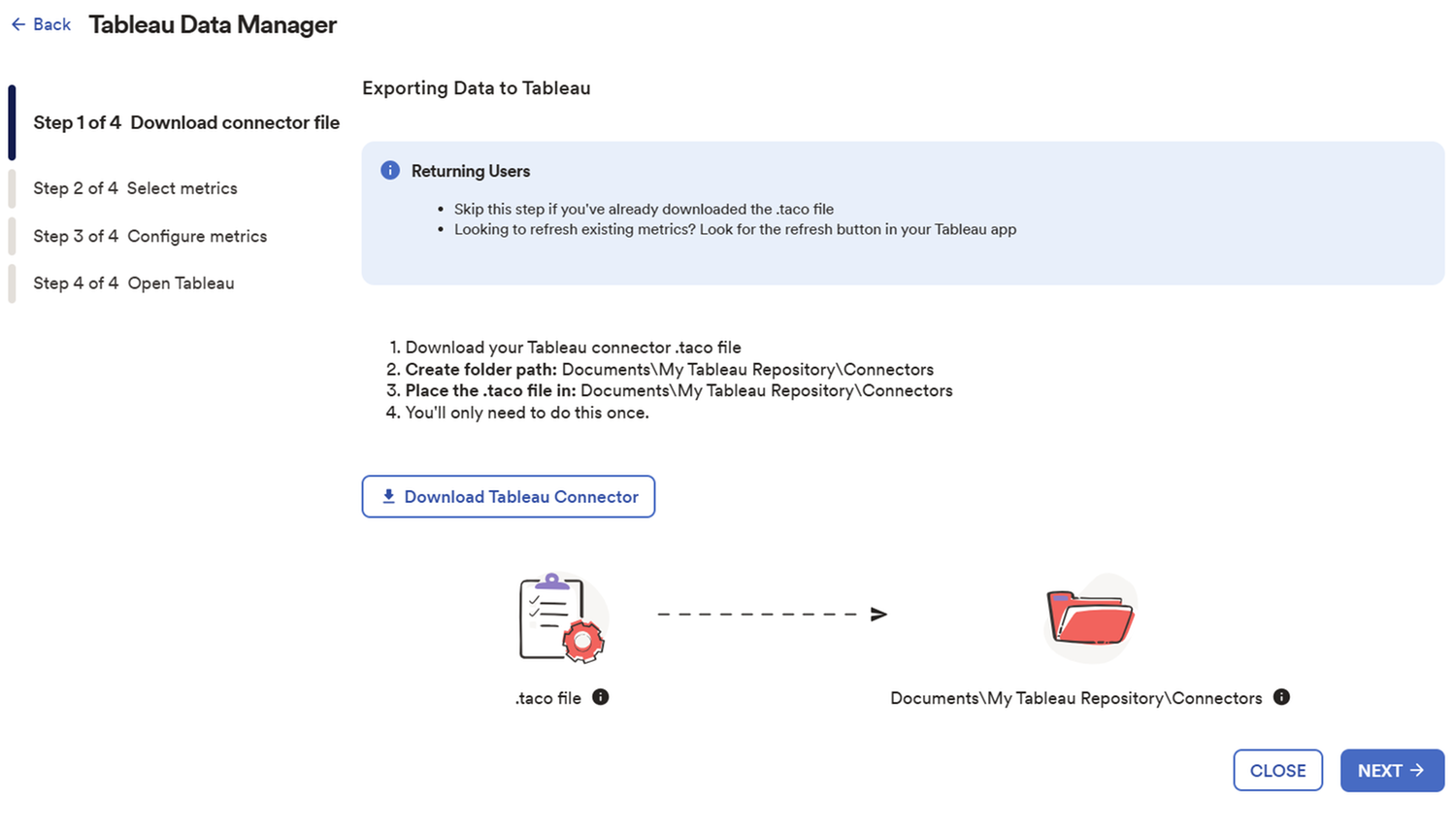
- In Tableau Data Manager, select Download Tableau Connector. Put the .taco file in the following location on your computer: Documents\My Tableau Repository\Connectors. Select the metrics that you want to export data into Tableau. For the selected metrics, select Metric Detail and Employee Details as needed.
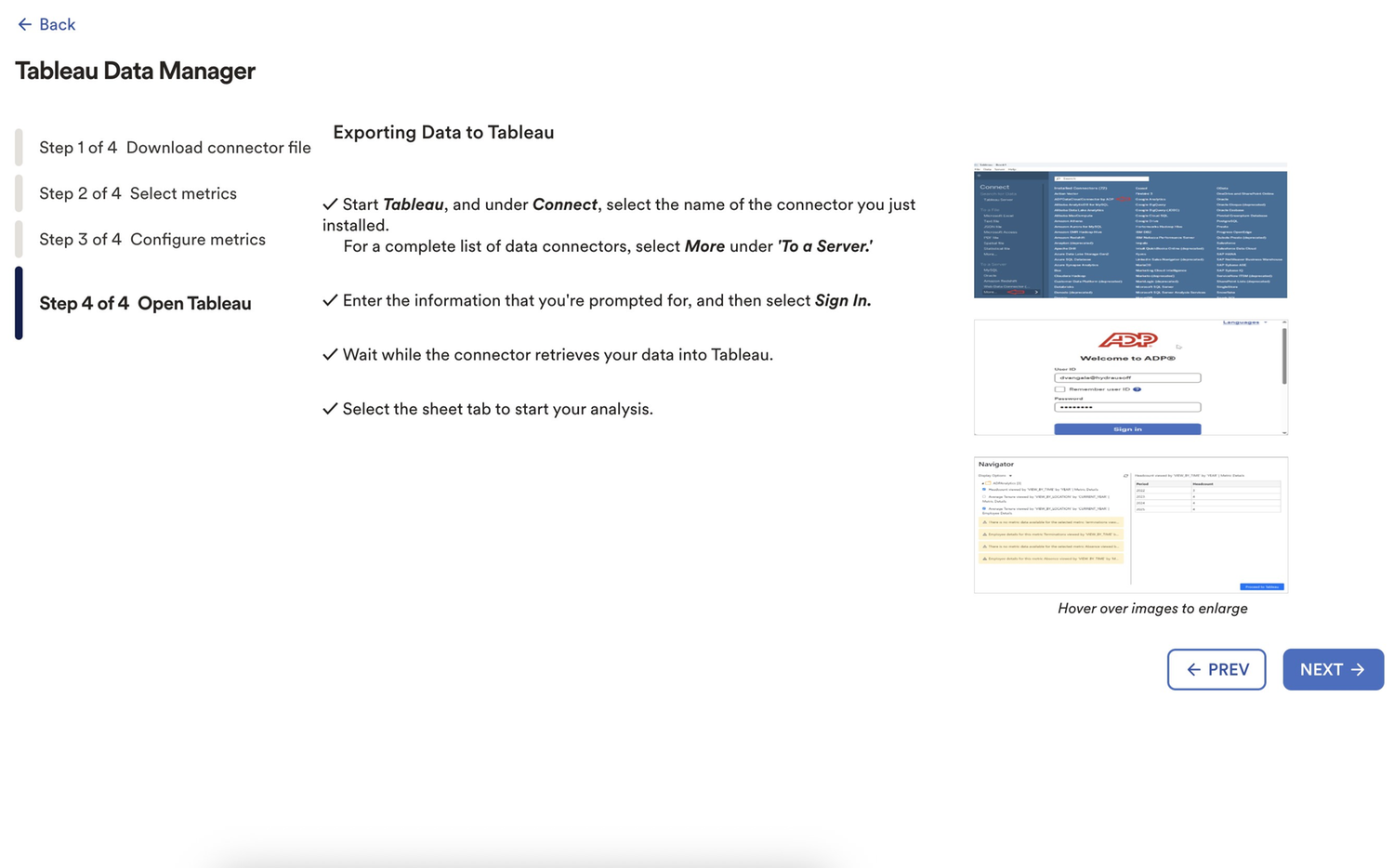
Step 4:Open the Desktop Tableau® desktop software.
- Under Connect to a Server, select ADPAnalytics by ADP. Log in with your ADP credentials. Preview the metrics and the corresponding tables you selected previously. When you have verified, select Proceed to Tableau. The tables are loaded into Tableau and you can select the table to preview the data.
Step 5: Create dashboards in Tableau using data from ADP.
Product Prerequisites
To use the Tableau® Connector for ADP® DataCloud, you must have a subscription to ADP DataCloud Enhanced Insights and use the latest version of Tableau®.
Data Export to Tableau®
The connector enables you to control the metrics you'd like to export to Tableau®, keeping your analysis focused. Choose from HR, Benefits, Time, Recruiting or Payroll metrics.
Real-Time HCM Data
Create graphs and reports in Tableau® using real-time ADP Analytics metrics.